
Struggling to log in to your Blooket account to start learning or teaching? Don’t worry, that’s normal. Many new students and teachers find it a little tricky to log in to their Blooket accounts and start their learning or teaching journey.
The Blooket login process is very easy; it can be done within a minute. In this article, we will guide you through logging in to Blooket without errors. Let’s start with a little introduction to Blooket.
What is Blooket
Blooket is an online, game-based learning platform built in 2018 by two brothers, Ben and Tom Stewart, in the United States. It helps students learn their lessons in a fun and interesting way through quizzes.
Blooket provides teachers with a library of questions, or teachers can build their own quiz-based games. The students solve these quizzes and earn points. This points system fosters healthy competition among students and makes the learning process more engaging.
The students who score impressively in these Blooket games get rewards. These rewards can be “Blooks,” which are fun and virtual characters. These rewards make the game more exciting for the students, and they try their best to win these rewards.
Blooket Login
There are 2 methods that you can use to do a Blooket login: one is through email, and the other is through your Google account. In the following, we are presenting you with both of these methods:
How To Do Blooket Login With Email: A Step-by-step Guide
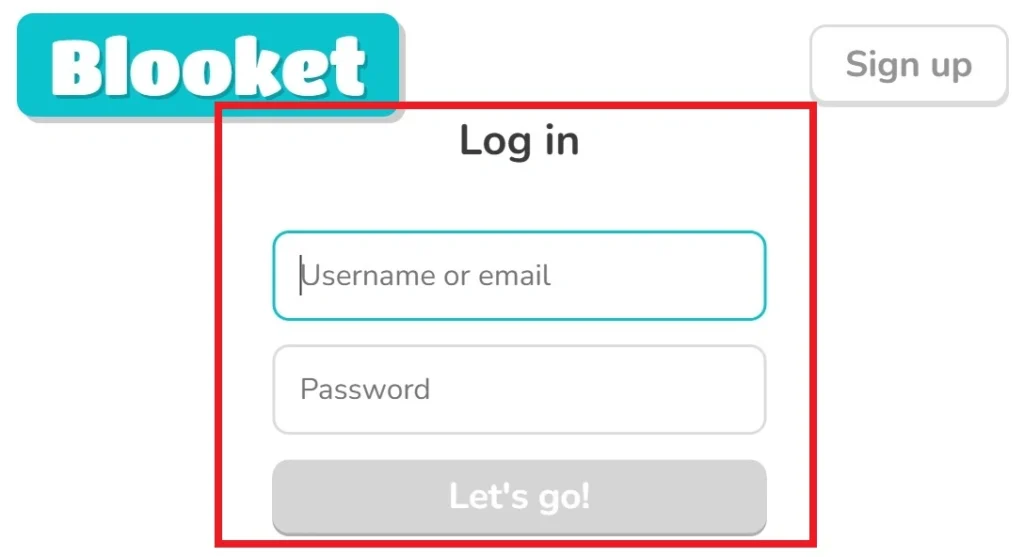
If you are using your email for Blooket login, follow the given steps:
- Go to the following link: https://id.blooket.com/login
- Enter your “Username or Email”.
- Enter your “Password”.
- Click the “Let’s Go” button.
Once you click the “Let’s Go” button, you will be logged in to your Blooket account.
How To Do Blooket Login With A Google Account
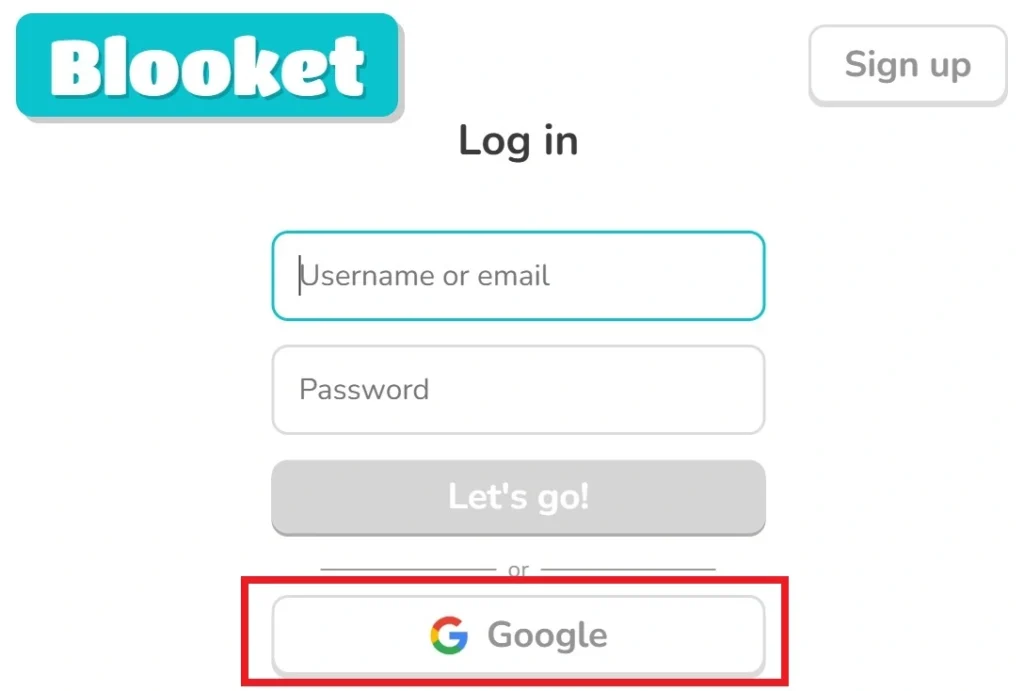
The Blooket login using a Google account is easier; you have to follow the given steps:
- Click the “Google” button (as mentioned in the image).
- Once you have clicked the “Google” button, choose your registered email account.
- Click the “Continue” button, and you will be logged in.
What To Do If You Have Forgotten Your Blooket Login Password?
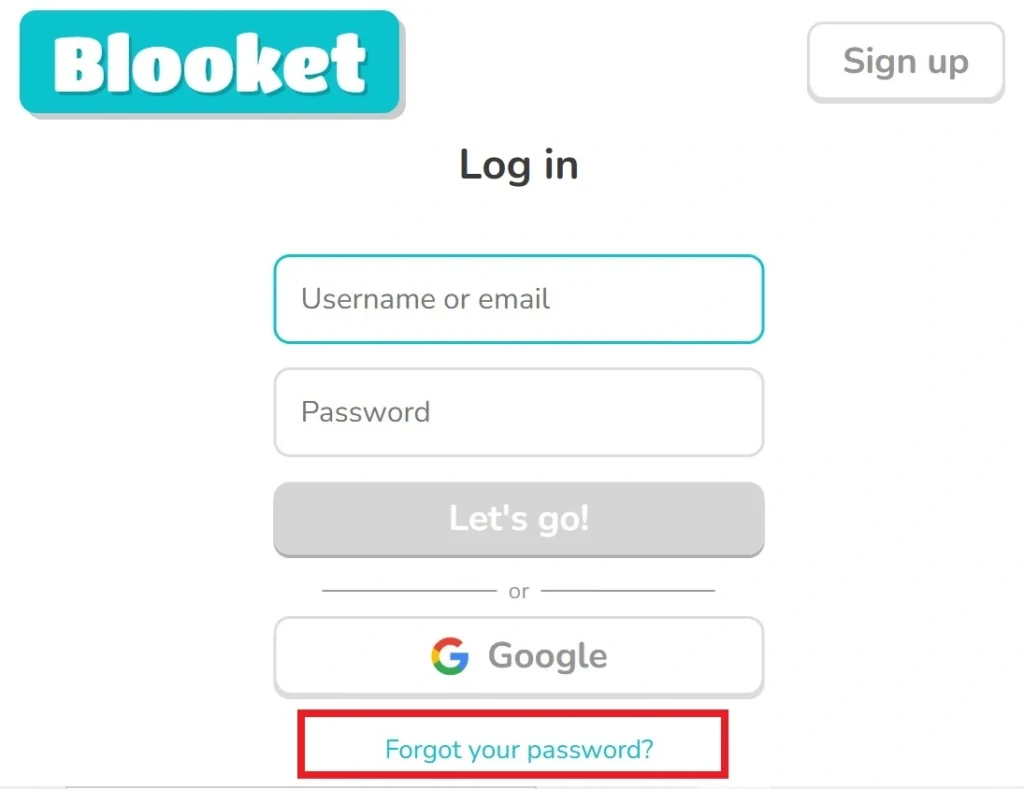
To log in to your Blooket account, it is important to remember your username or email and your login password. But if you have forgotten your password, you can recover it by following the given steps:
- Click the “Forgot Your Password?” link at the bottom.
- Enter your registered email address.
- Click the “Submit” button.
- Enter the 6-digit OTP code that is sent to your email address.
- Enter your new password and confirm it.
- Click the “Submit” button.
Once you click the submit button, your password will be reset. Kindly note your password in a safe notebook or save it in your documents.
Why Is It Important To Do Blooket Login
To access all the features of Blooket, you need to log in to your Blooket account. Without a Blooket login, you cannot access any of the Blooket features. Therefore, once you log in to your account, you can access all the features of Blooket, which are:
- Get access to your personal dashboard to manage activities.
- Save your game progress and achievements.
- Teachers can build quizzes for their students.
- Teachers get access to the Blooket library, which contains ready-made quiz templates.
- Teachers can host live games for their students.
- Track your performance reports and results.
- Earn rewards like “Blooks” if you score higher in the game.
- Teachers and students can personalize their profiles and games.
Troubleshooting Common Blooket Login Issues
The following table presents all the common problems and their solutions that students and teachers might face while logging in to their Blooket accounts:
|
Problem |
Solution |
|
Incorrect email or password |
Reconfirm the spelling and case sensitivity of your email and password. |
|
Forgot password |
Use the “Forgot Your Password?” link and reset your password via email. |
|
Browser issues |
Clear cache/cookies or switch browser. |
|
Slow Internet Connection |
Get a better wifi connection. |
|
Account not verified |
Verify your account by using the link sent to your email. |
How To Register Your Account On Blooket: A Step-by-step Guide
If you are a new user and you have not registered on Blooket, you will have to first sign up. To register/sign up on Blooket, follow the following simple steps:
- Go to https://id.blooket.com/signup
- Select whether you are a student or a teacher.
- Enter your date of birth.
- Tell them you live in the United States or outside of the United States.
- You can choose to sign up through your “Google Account”, or you can use the “Email & Password” option for sign-up.
- After choosing your preferred method, follow the steps that Blooket tells you.
Once you are signed up/registered, you can log in to Blooket and access all the features.
What Is Blooket Play Login Or Blooket Join Login
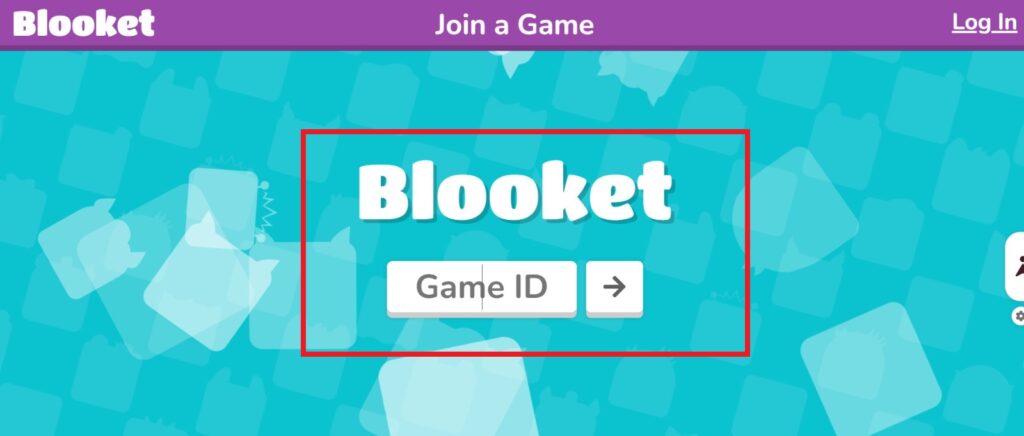
Blooket Play login or Blooket Join login is used to enter a live game. The host will provide you with a Blooket game ID that you will use to enter the live game session. By using the Blooket Play login or the Blooket Join login, you can directly join the live without the need for a Blooke login.
Blooket Login Vs. Blooket Join: What’s the Difference
Many new students and teachers think Blooket login and Blooket join are the same, but they’re not. These terms are different, and you need to understand them. In the following, the differences between these two terms are presented:
Blooket Login
Blooket login allows teachers and students to access their Blooket dashboards by using their registered email and password, or their Google accounts. Through Blooket login, the teachers and students become eligible to customize their dashboards, participate in learning activities, access their previous data, track their progress, etc.
Blooket Join
Blooket Join is a process that is used to participate in live games hosted by the teachers. The students are provided with a Blooket game code that they enter in the Blooket Join page. After entering the Blooket game ID, students can join the game.
Key Differences
The following table presents the differences between the features of Blooket login and Blooket join:
|
Feature |
Blooket Login |
Blooket Join |
|
Purpose |
Used to access a personal account |
Used to enter a live game session |
|
Who uses it |
Teachers and students with accounts |
Mostly students (sometimes teachers) |
|
Account required? |
Yes |
No account needed |
|
How to access |
Email/password or Google login |
Enter a game code |
|
Main function |
Manage games, settings, and data |
Play a specific live game |
Blooket Account Settings and Dashboard Overview
Once you have logged in to Blooket, you can easily access and customize your account settings and dashboard. In the following, all of the customization options are presented:
Account Settings
From the “Settings” section of Blooket, you can edit the following information about your profile:
- Change username, email, and your dashboard layout (Student or Teacher).
- Choose your Blooket plan, which are Starter (Free), Plus ($4.99), and Plus Flex ($9.99).
- Add your social media accounts like Twitter, Instagram, and Facebook.
- Contact Blooket support at contact-us@blooket.com
Dashboard Settings
The dashboard of Blooket is designed to be very intuitive and easy for the students and the teachers. The following are the features and customization options that are available in the Blooket dashboard:
- Discover: In the “Discover” section, you get a book library of games.
- My Sets: In the “My Sets” section, the games that you have built are presented.
- Favorites: The “Favorites” section includes all of your favorite games.
- History: The “History” section includes all the games that you have hosted before.
- Play: In the “Play” section, you enter the Blooket game ID to do Blooket Join.
FAQs
Conclusion
In short, the Blooket login process is very simple. You’ll just have to go to the Blooket login page at https://id.blooket.com/login, enter your registered email (username) and password, click the “Let’s Go” button, and you will be logged in. For joining live games, you’ll have to enter the Blooket game code for Blooket Play login or Blooket Join login.
If you are a new student or teacher at Blooket, you’ll first have to sign up at https://id.blooket.com/signup. It is important to have an account on Blooket if you want to access its features. That’s why make your account now, log in to it, and enhance your learning experience.